iPhone · chord synth + sequencer

Chords under
your thumb.

Tap a pad to play a chord in your key. Drag it to morph — sevenths, sus, extensions — as a direction, not a menu. Then build the whole song without naming a single note.

↓ or just play the pad — turn your sound on

maxChord · live demo
Tap · hold + drag to morph
three moves

Tap. Drag. Build.

1

Tap a pad

Eight pads, laid out in your key — everything under your thumb is already in tune. Tap one and it plays.

2

Drag to morph

Hold and slide. Each of eight directions bends the chord — a seventh, a sus, a sixth — while the common notes keep ringing.

3

Build the song

Drop chords onto tracks, split and resize the tiles, and chain patterns into sections. Every track gets its own sound.

what's in it

An instrument, not a spreadsheet.

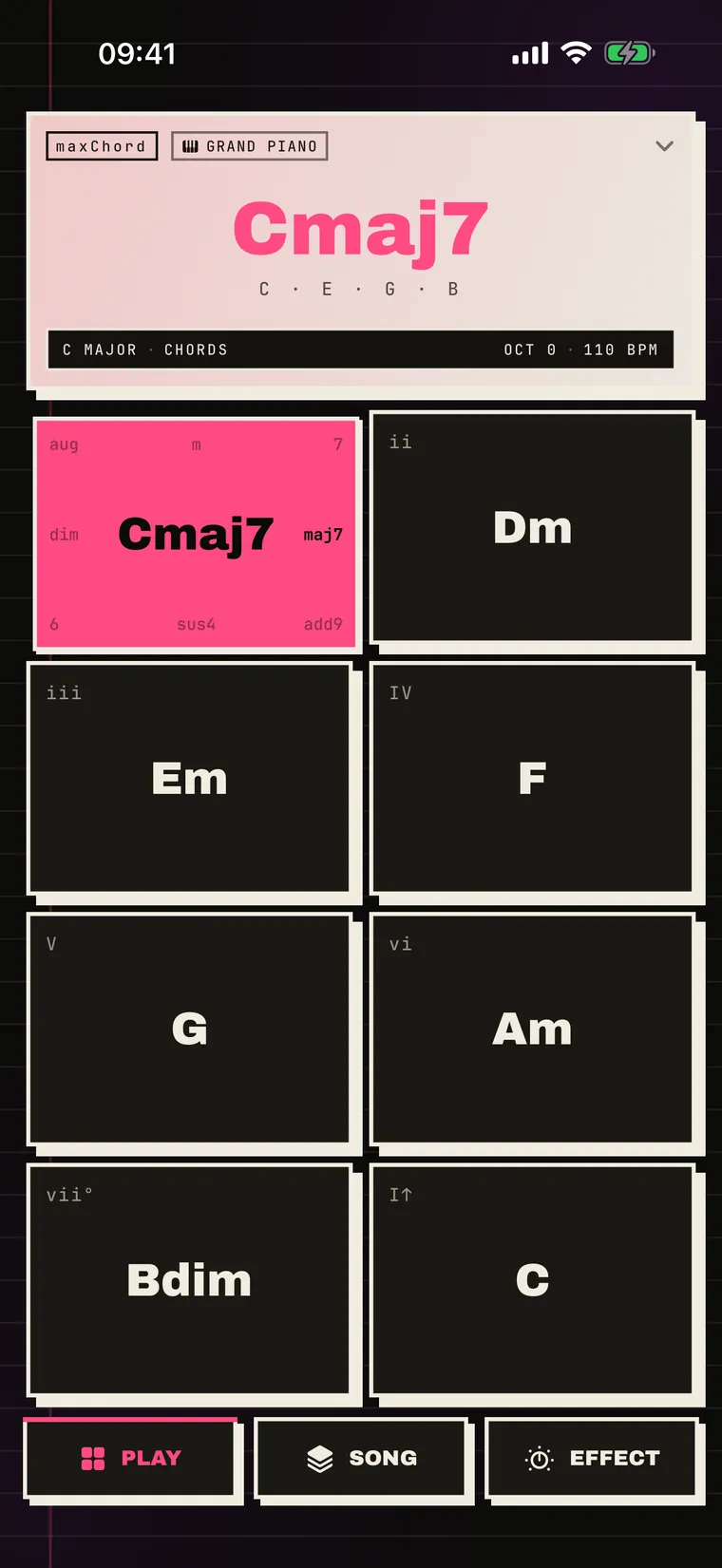
maxChord's play screen with a pad held down, showing the Cmaj7 morph and the eight direction hints around it.
Morph pads

Eight chords in every pad.

Every pad holds a chord and eight variations around it. Hold and drag to reach a seventh, a sus, an extension — as a direction, not a menu. Three palettes — Standard, Extended, Chromatic — swap the colours under the same gesture, and you can lock any variation to keep it.
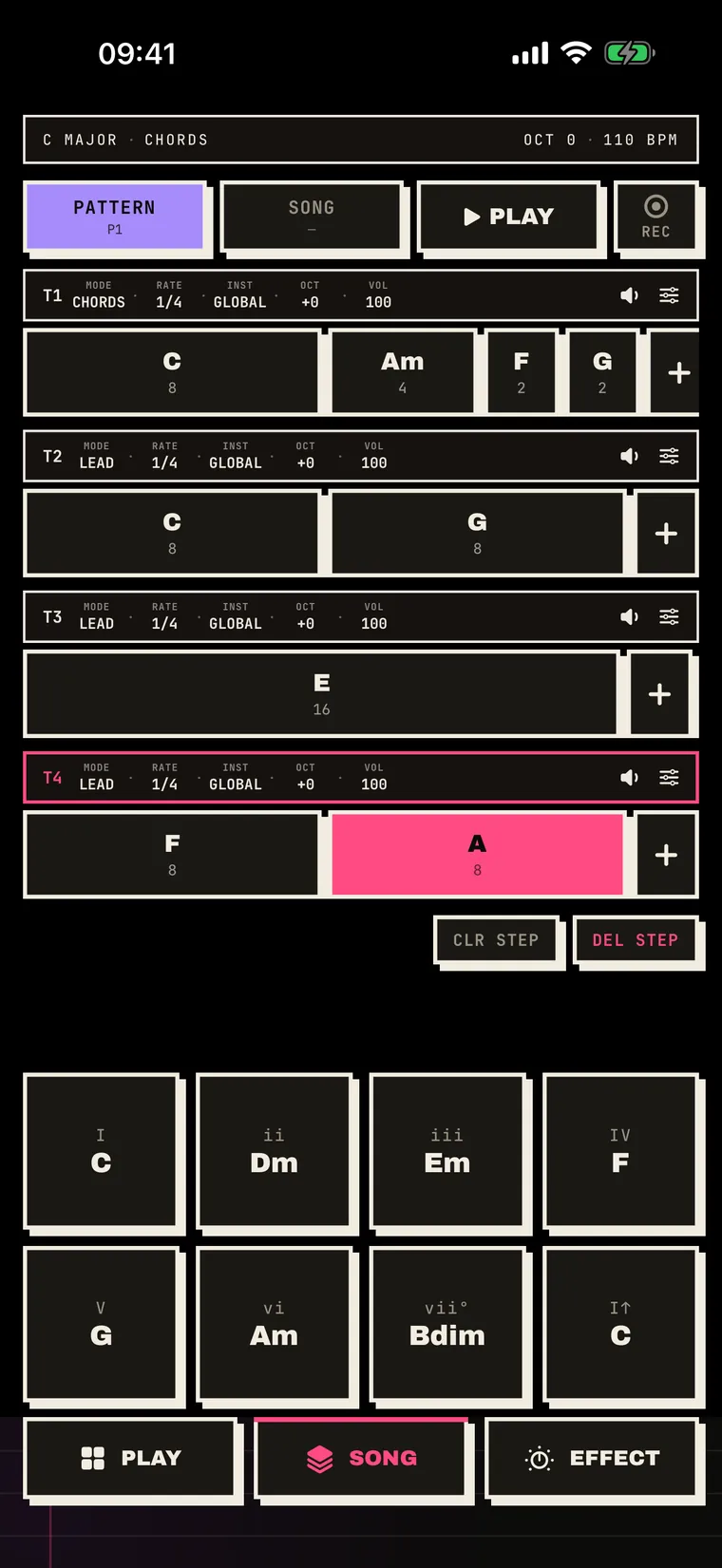
maxChord's sequencer: four tracks of chord tiles, each with its own mode, rate, instrument and volume.
Multi-track sequencer

Lanes, tiles, sections.

Lay chord tiles across tracks, split them, flick to resize, and chain patterns into sections. Each track carries its own instrument, octave, volume and arpeggiator rate — record them live or place them by hand.

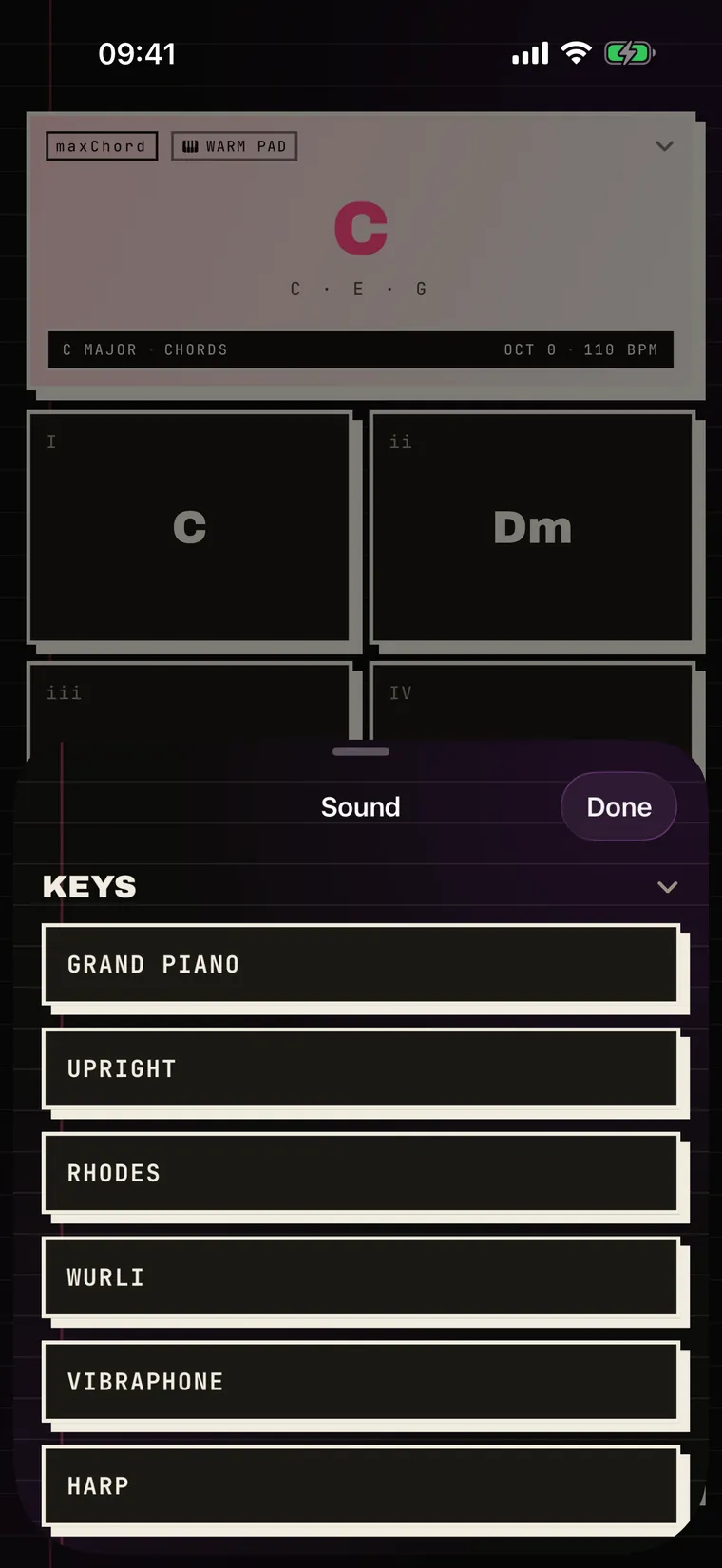
maxChord's instrument picker open on the Keys category — Grand Piano, Upright, Rhodes, Wurlitzer, Vibraphone, Harp.
Real instruments

Sampled and synthesised.

Grands, upright, Rhodes, Wurlitzer, vibraphone, harp, strings, brass, nylon guitar, church organ and choir — plus a fifteen-voice analogue synth bank with proper filter envelopes.

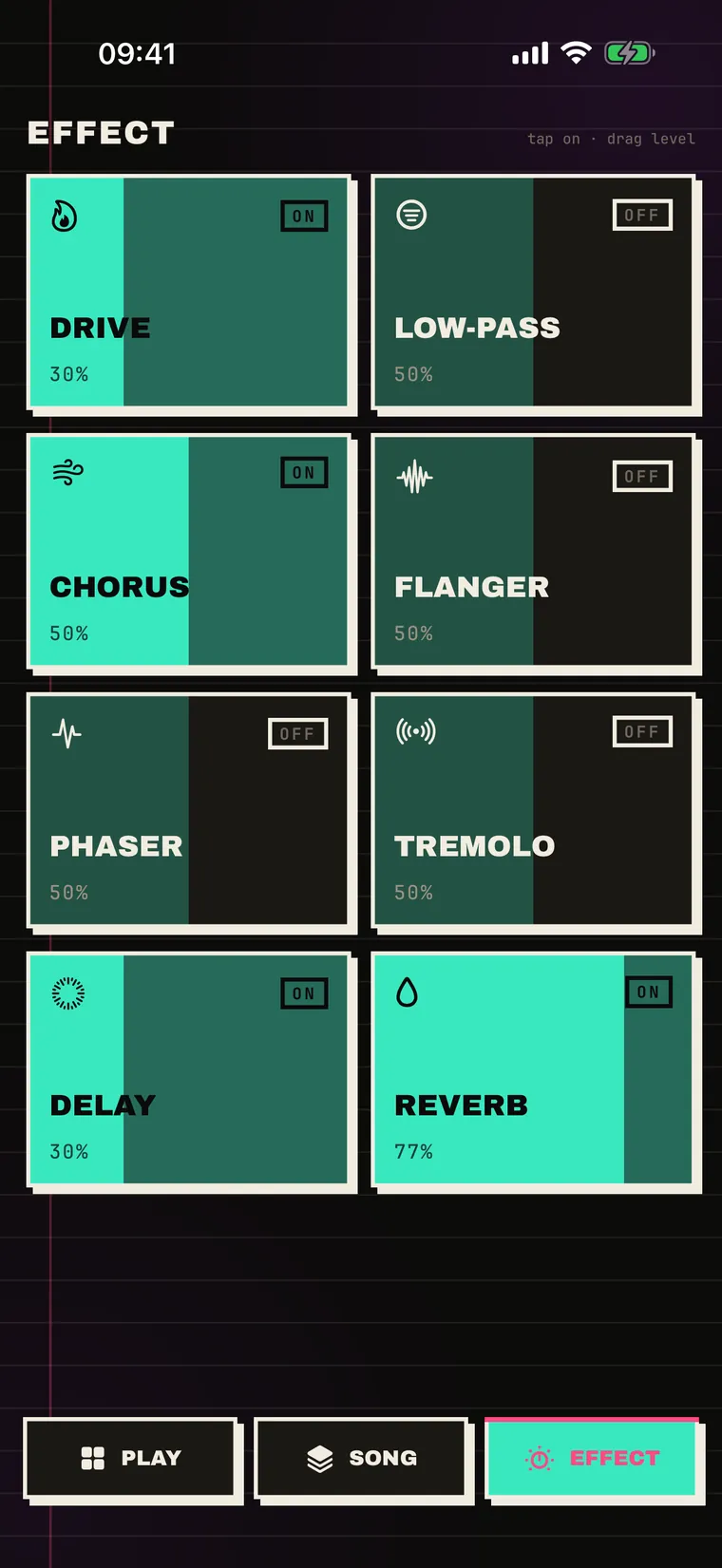
maxChord's effects rack: Drive, Low-pass, Chorus, Flanger, Phaser, Tremolo, Delay and Reverb tiles with intensity fills.
Eight effects

One thumb, whole mix.

Drive, low-pass, chorus, flanger, phaser, tremolo, delay and reverb — per track and across the whole mix. Tap a tile to toggle it, drag across it to set the amount.

MIDI in & out

Play maxChord from a controller, or drive your DAW from it. Per-track MIDI out, real-time recording, and clock sync in both directions.

Private by design

No accounts, no analytics, no tracking, no networking code at all. Your songs live on your device. It works on a plane. That's the whole privacy policy.

get it

Now on the App Store.

A free trial opens everything. Keep it with a small subscription, or unlock it once for life.

LAUNCH50 50% off your first year — limited launch offer · redeem now →

Monthly
€1.99
per month
Yearly
€9.99
per year
Lifetime
€22.99
one time
Download on the App Store iPhone · iOS 17+

3-day free trial · cancel anytime · prices may vary by region · questions? support